
 Custom Cursor Divi 5 · Divi Supreme Pro extension
Your cursor, in your brand.
Pick a cursor style, set hover effects and choose where it loads. Live preview in the builder.
9
cursor styles
16
blend modes
4
display conditions
Live
preview
Personality, with restraint.
Nine styles
Filled Circle, Two Circles, SVG Emitter and Filter Glow 1 to 6.
Filled CircleTwo CirclesSVG EmitterFilter Glow
Hover effects
Hover Scale and Hover Colour react to links and buttons, or any Hover Target Selector.
Blend modes
Normal, Multiply, Screen, Difference and 10 more, on the Filter Glow and SVG Emitter styles.
Live preview
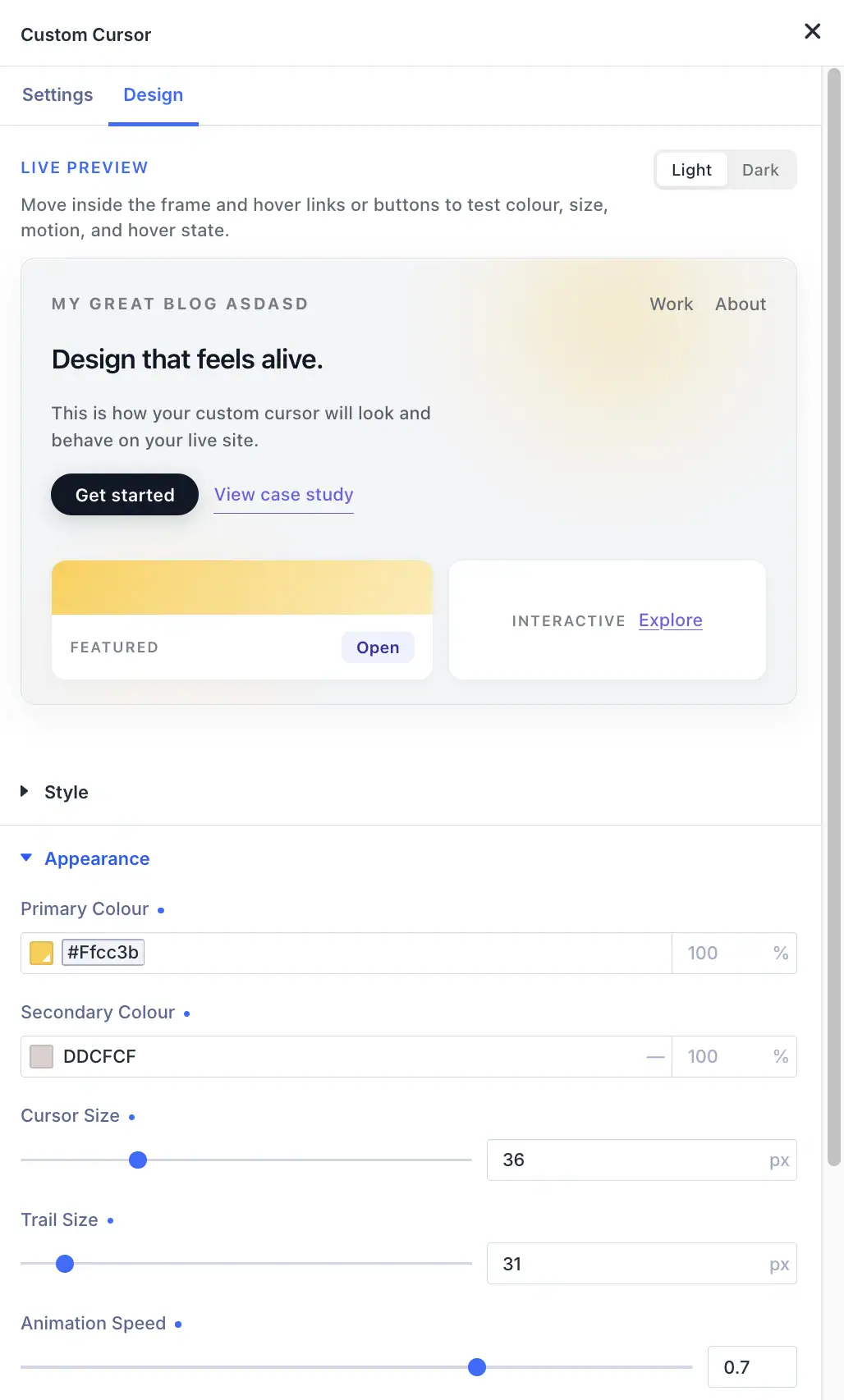
Test Primary and Secondary Colour, Cursor Size, Trail Size and Animation Speed in a Live Preview, in Light or Dark mode.
Scope rules
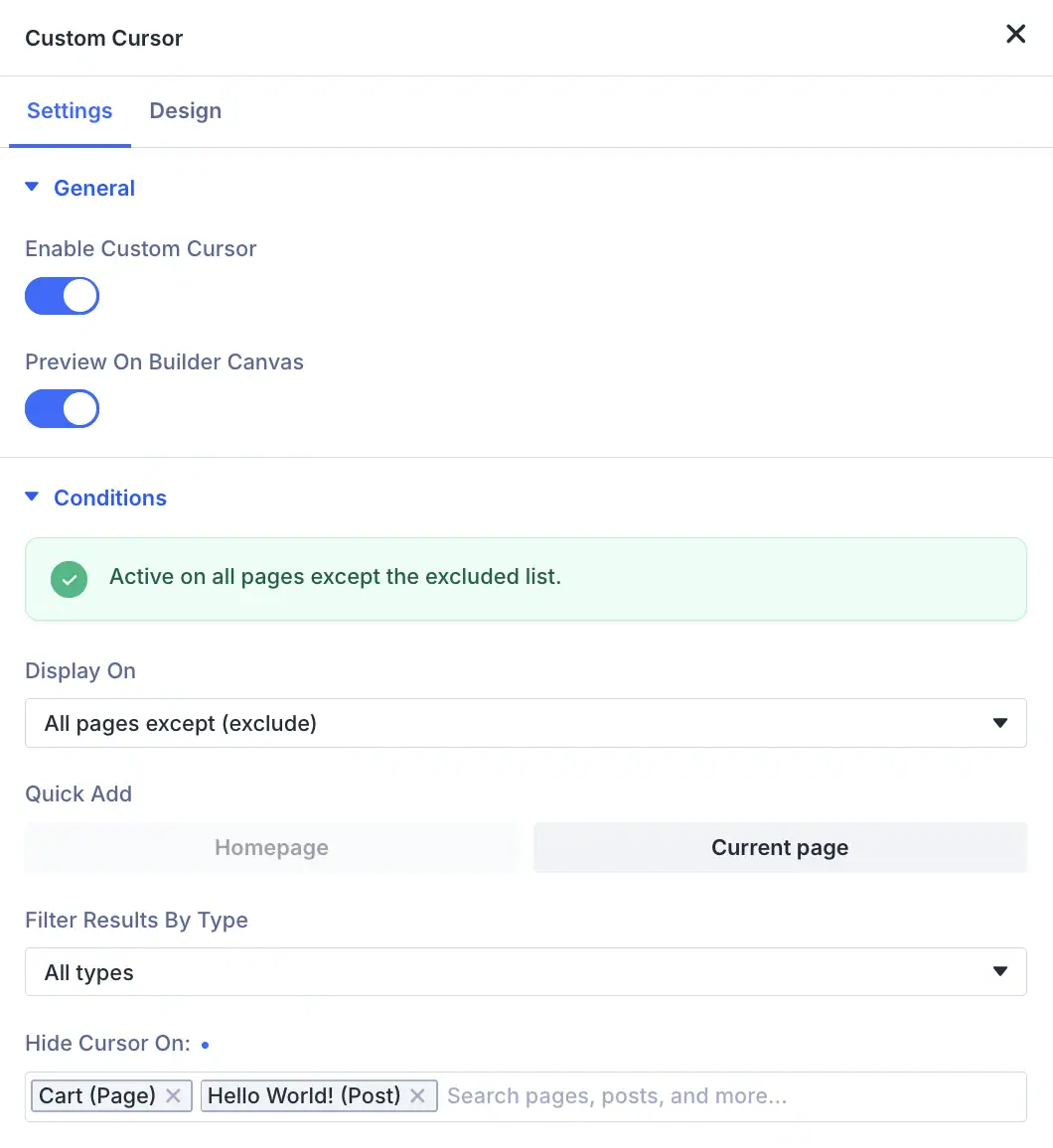
Display On the entire site, only listed pages, or all pages except a list. Quick Add the homepage or the current page, or search pages and posts.
Entire siteIncludeExcludePer page
One cursor, 14 blend modes.
Move your pointer over the panel on the right. Blend Mode changes how the cursor mixes with what's underneath it. In the customiser it only appears when Cursor Style is a Filter Glow or SVG Emitter. Pick Filled Circle or Two Circles to see it switch off. Each style runs the same motion as the plugin.
Cursor Style
Blend Mode Not available for this style
Hover Colour
Custom Cursor
Give your pointer some personality.The cursor only shows inside this panel. On your site it follows the pointer on every page you choose.
Every setting, in one customiser.
The real setting names, so you know exactly what you get.
01
Switch it on
Turn on Custom Cursor under Divi Supreme, Extensions.
02
Design it live
Open Cursor on the builder bar. Pick a style, colors, size and hover effects with live preview.
03
Choose where it loads
Entire site, include or exclude pages, or per page.
18 settings, 3 places
Names match the Divi 5 builder word for word.
Divi Supreme Settings
This is where you can enable Divi Extensions.
 Page Tour
 Tooltip
 Divi Popup
 Line Hover Animation
 Mouse Parallax
 Image ParallaxCustom Cursor
 Preloader
 Dark Mode Toggle
 Icon Libraries
 Mask & Pattern Library
 Divi Library Widget
 Copy to Clipboard
 Client Handoff
 Password Protection
 Contact Form Pro
Four sites, four cursors.
Pick a site, then move your pointer over it. Each one runs the same motion as the plugin, using a real Cursor Style and the settings on its card. Hover links and images to see the hover state.


Move your pointer over the page.
Divi tips for designers, once a month.
New extensions and practical Divi guides. Short and useful.
One email a month. Unsubscribe in one click.
Custom Cursor is included in Divi Supreme Pro.
The Custom Cursor extension ships inside Divi Supreme Pro, with 70+ modules and 15 more extensions. One plugin, unlimited sites.
Divi Supreme Pro
$79/ year
Updates and support for 12 months. Renews at 30% off.
- The Custom Cursor extension
- 70+ Divi modules and 15 more extensions
- Unlimited sites, client work included
- Runs on Divi 5
Save 31%
Supreme Bundle, 4 plugins
$129first year$186
Divi Supreme Pro plus three more plugins. Renews at $90/yr.

Divi Supreme ProIncludes Custom Cursor

Supreme Mega MenuMenus from Divi layouts

Supreme Maps ProGoogle Maps and Leaflet

Supreme AI WriterText, images, stock media
4.9 rated, on 350,000+ Divi sites14-day money-back guaranteeUnlimited sites on every planEach plugin keeps its own license key
Not ready to buy? Try 20+ modules free with Supreme Modules Lite.
Questions, answered.
Every setting is in the Custom Cursor docs. Something else? Ask the team.
Pairs well with
Mouse Parallax
Mouse-tracking motion on any section, row or module.
Line Hover Animation
Line hover animations on any module, from the Design tab.
Dark Mode Toggle
A light and dark switch with your own dark palette.
Make even the cursor on brand.
Switch on Custom Cursor and pick a style.